
AI Help Centre Overview
The AI Help Centre in SafariDesk is an intelligent chatbot that provides instant, around-the-clock support to your customers — powered directly by your existing Knowledge Base. Rather than replacing your support team, it acts as a smart first line of defence by resolving common questions instantly, surfacing relevant help articles, and guiding users through self-service — before a ticket is ever created. When the AI cannot fully resolve an issue, it transitions the conversation smoothly into a support ticket, ensuring no customer request falls through the cracks.💡 A well-configured AI Help Centre reduces ticket volume, shortens resolution times, and delivers a faster, more consistent experience for every customer — at any hour of the day.
Accessing AI Help Centre Settings
Navigate to: Configuration → AI Help Centre From this page, you can enable the chatbot, configure its persona and voice, set smart automation rules, and customize the customer-facing experience.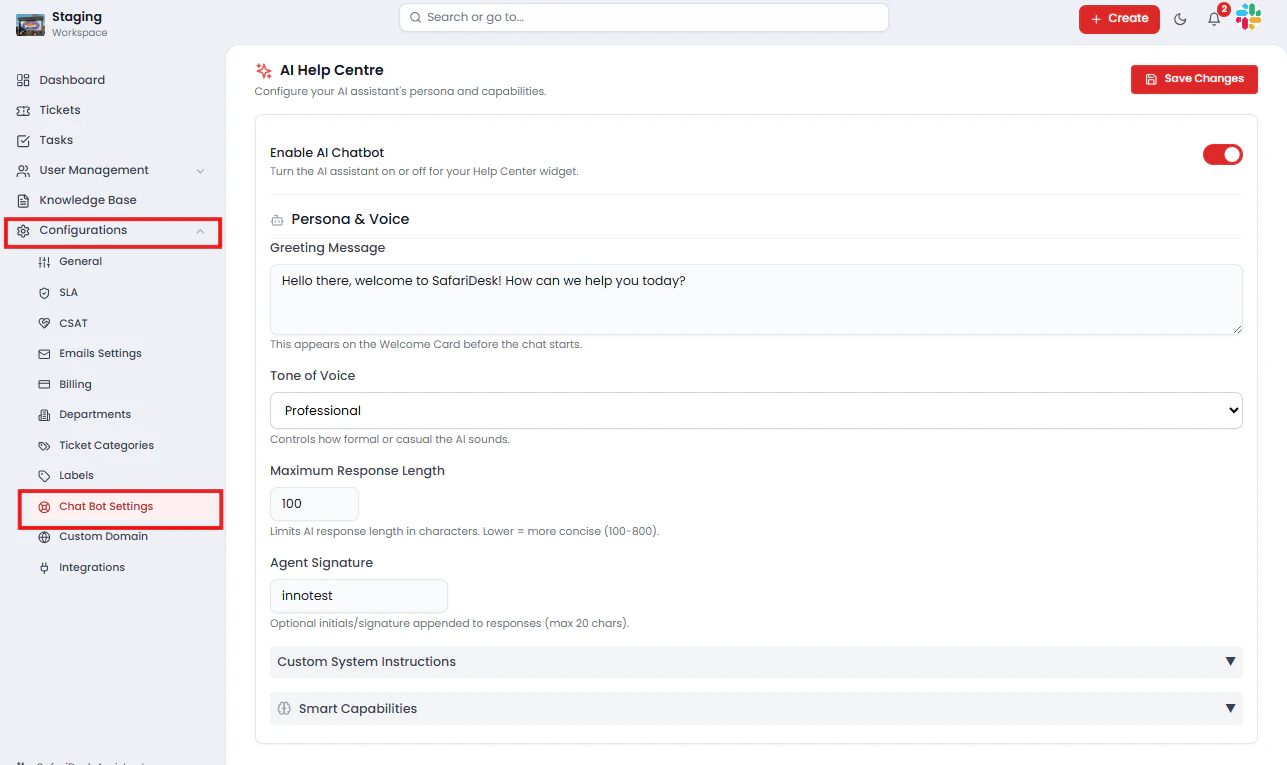
How the AI Chatbot Works
The AI Help Centre follows a structured, self-service-first support flow:- A customer visits your Help Center or Support Portal
- They open the chat widget and submit their question
- The AI searches your Knowledge Base for relevant answers and articles
- If a match is found → the customer receives an instant response
- If no match is found → the AI assists the customer in creating a support ticket, with category, department, and priority pre-filled where possible
Enabling or Disabling the AI Chatbot
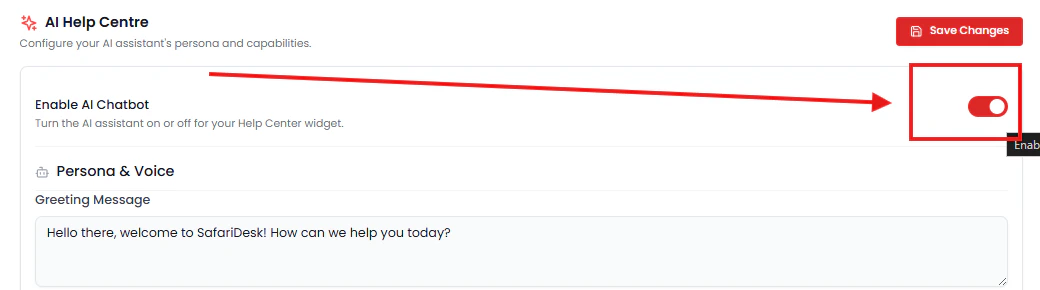
To activate or deactivate the AI assistant:- Navigate to Configuration → AI Help Centre
- Toggle Enable AI Chatbot to ON or OFF
- Enabled — The chatbot widget appears on your Help Center and Support Portal
- Disabled — The chatbot is fully hidden; customers interact only with human agents
⚠️ If your team prefers a fully human-driven support model, you can disable the AI chatbot at any time without affecting your ticket workflows or Knowledge Base.
Persona & Voice Configuration
Customize how your AI assistant presents itself and communicates with customers to ensure it feels like a natural extension of your brand.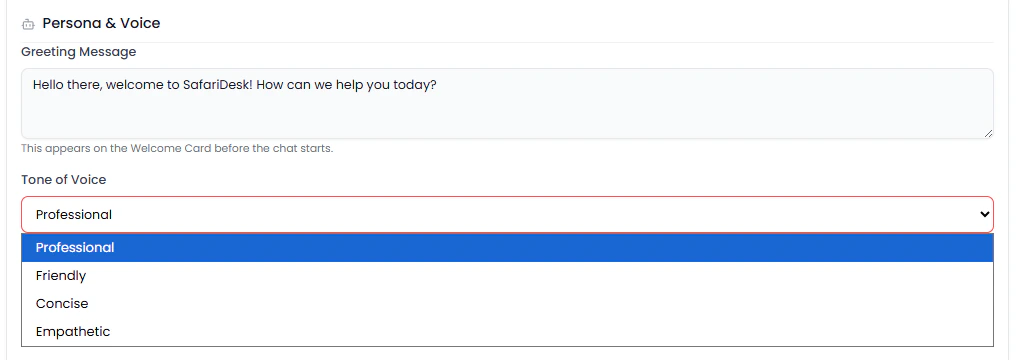
Greeting Message
The first message a customer sees when opening the chat widget. Craft a greeting that is welcoming, on-brand, and sets clear expectations. Example: “Hello! Welcome to [Your Company] Support. How can I help you today?”Tone of Voice
Control the communication style of all AI responses:- Professional — Formal, precise, and business-appropriate 💡 Match your AI tone to your brand voice. For example, a professional services company may prefer formal language, while a consumer product might benefit from a warmer, more conversational style. In addition to Professional, other available tones include Friendly, Empathetic, and Concise, giving you more flexibility to align the AI with your brand’s personality.
Maximum Response Length
Define how detailed AI responses should be:- Range: 100 – 800 characters
- Shorter values — Concise, to-the-point answers best suited for simple queries
- Higher values — More detailed explanations suited for technical or complex topics
Agent Signature
An optional closing signature appended to every AI response.- Example: ”– Support Team” or ”– SafariDesk Help”
- Maximum: 20 characters
Custom System Instructions
Provide the AI with specific rules, priorities, or context that shape how it responds across all conversations. Examples of effective system instructions:- “Always prioritize billing-related answers in responses”
- “Do not recommend or reference competitor tools”
- “Maintain a calm and reassuring tone when users express frustration”
- “Escalate immediately if the user mentions data loss or security concerns”
💡 Custom instructions give you precise control over AI behaviour without requiring technical configuration. Use them to enforce brand guidelines, compliance requirements, or support priorities.
Smart Capabilities
SafariDesk’s AI Help Centre includes a suite of intelligent automation features that reduce manual effort and improve ticket quality from the moment a conversation begins.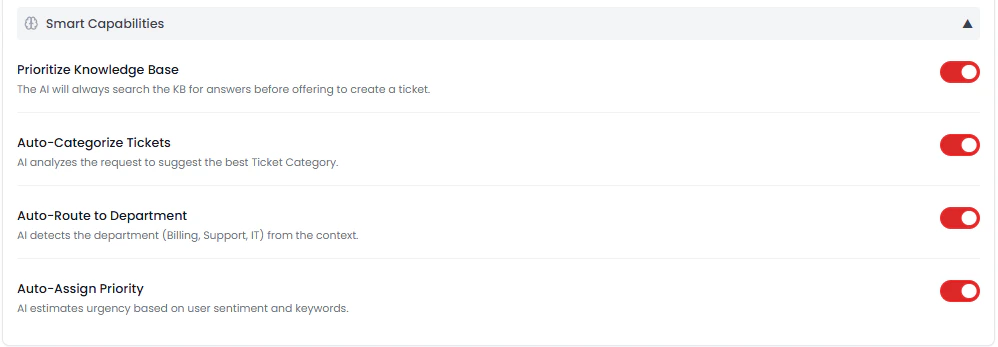
Prioritize Knowledge Base
The AI always searches your Knowledge Base before suggesting ticket creation. This ensures:- Customers receive immediate answers to documented issues
- Ticket volume is reduced for common, repeatable questions
- Your existing documentation delivers ongoing value beyond passive browsing
💡 Keeping your Knowledge Base accurate and up to date directly improves the quality and reliability of AI responses.
Auto-Categorize Tickets
When escalation is required, the AI analyses the customer’s conversation and automatically suggests the most relevant Ticket Category — reducing the burden on agents to classify tickets manually and improving consistency across your support data.Auto-Route to Department
The AI identifies the appropriate department based on the context of the conversation — for example, routing billing questions to Finance and system issues to IT — ensuring tickets land with the right team from the start without manual intervention.Auto-Assign Priority
The AI evaluates urgency signals within the conversation, including:- Keywords — Such as “urgent”, “down”, “not working”, “critical”
- Customer sentiment — Detecting frustration or distress in the message
Customer-Facing Experience
On your Help Center or Support Portal, customers interact with the AI through a clean, accessible chat widget that guides them through support options step by step.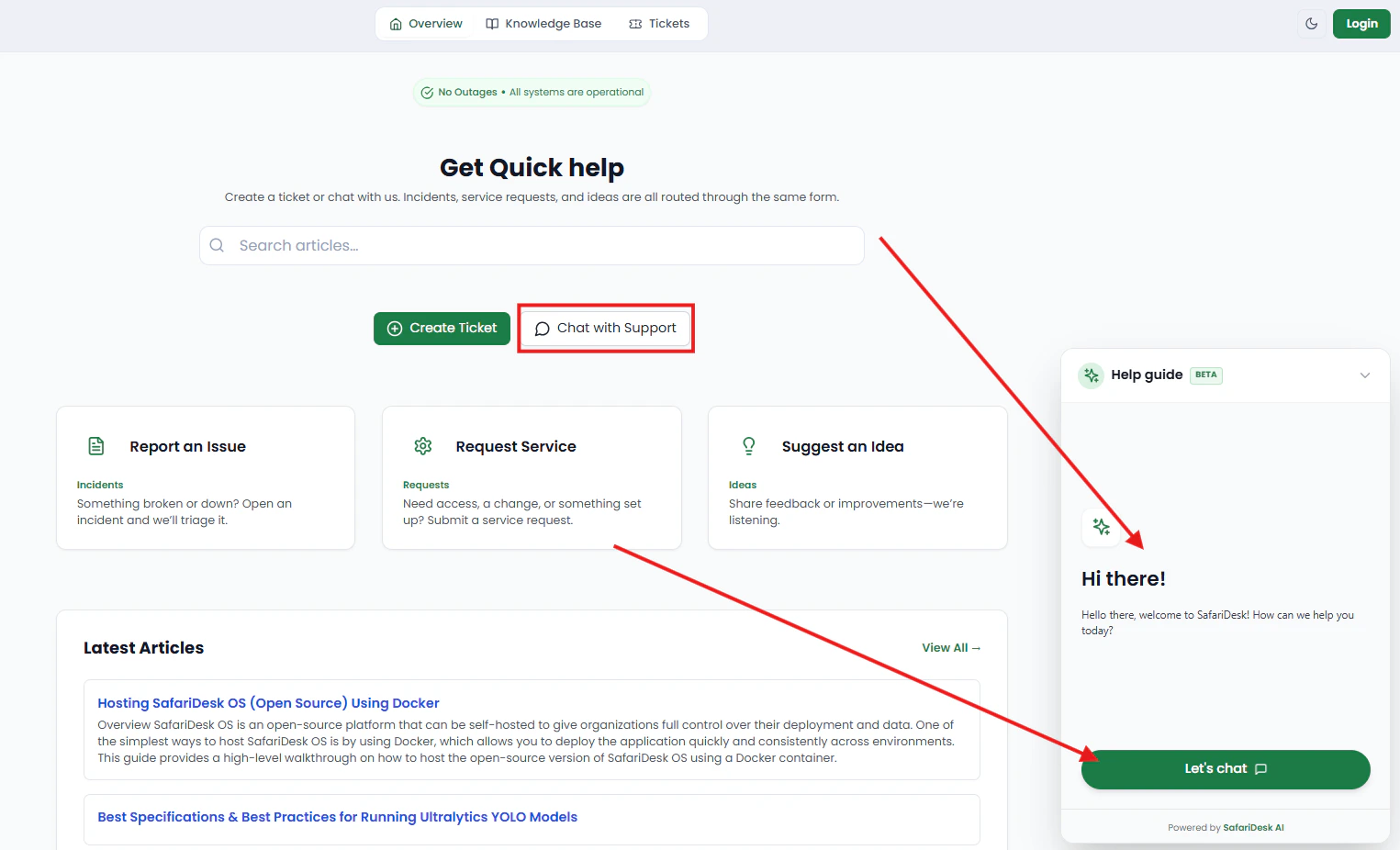
- Search for and browse help articles
- Chat directly with the AI assistant for instant answers
- Create a support ticket if their issue requires human attention
Best Practices
To get the most value from the AI Help Centre:- Keep your Knowledge Base current — The AI is only as good as the documentation behind it. Outdated or incomplete articles lead to poor AI responses and unnecessary escalations
- Write clear, descriptive article titles — The AI uses titles to match questions to content; vague titles reduce match accuracy
- Tailor the greeting and tone to your brand — A consistent voice across human and AI interactions builds customer trust
- Use system instructions proactively — Define guardrails early rather than adjusting reactively after problems arise
- Monitor escalation patterns — High escalation rates on specific topics are a signal to create or improve Knowledge Base articles in those areas
Summary
The AI Help Centre transforms your Support Portal into an intelligent, always-on self-service experience. By combining Knowledge Base-driven answers with smart automation and seamless ticket escalation, it enables your team to:- Reduce ticket volume by resolving common questions instantly without agent involvement
- Improve response times with 24/7 availability across all time zones
- Increase ticket quality through automatic categorization, routing, and priority assignment
- Deliver a consistent brand experience through a fully customizable AI persona and voice
Need Help?
If you have any questions or need assistance, contact our support team at[email protected]**. **We’re always here to help you get the most out of SafariDesk.