

Departments Overview
The Departments feature in SafariDesk helps you organize your support system by grouping tickets, agents, and topics into logical units. Think of a department as a help topic or support area, for example:- Human Resources (HR)
- IT / Technology
- Marketing / Sales
Why Departments Matter
Departments are essential for structuring your support workflow. They help you:- Route tickets to the correct team automatically
- Assign the right agents to handle specific issues
- Organize support topics for better clarity
- Improve response times and accountability
Accessing Departments
Navigate to: Configuration → Departments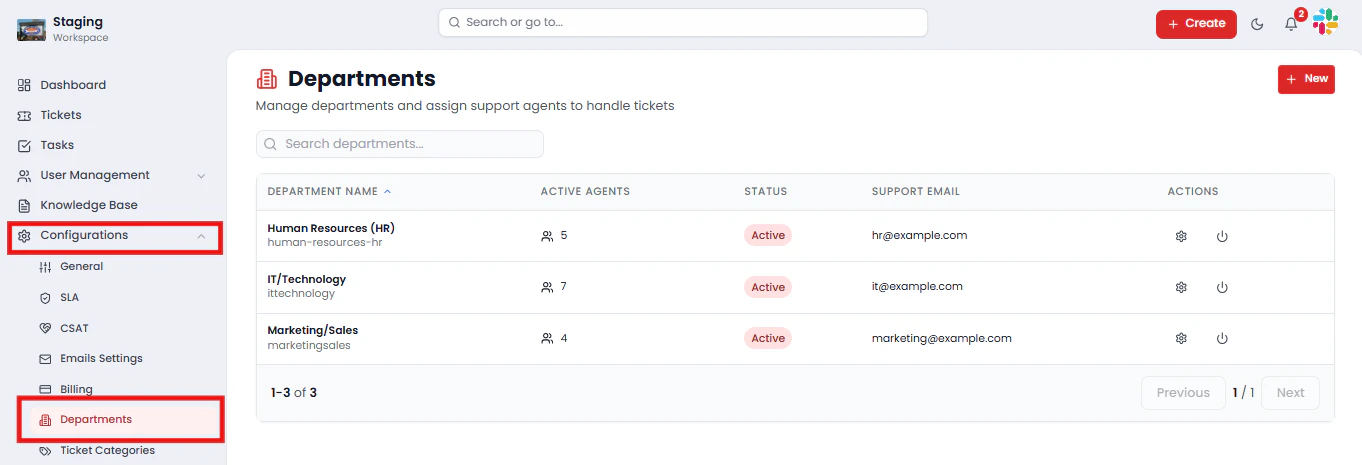
- Department Name
- Active Agents
- Status (Active / Inactive)
- Support Email
- Actions (Edit, Activate / Deactivate)
Creating a Department
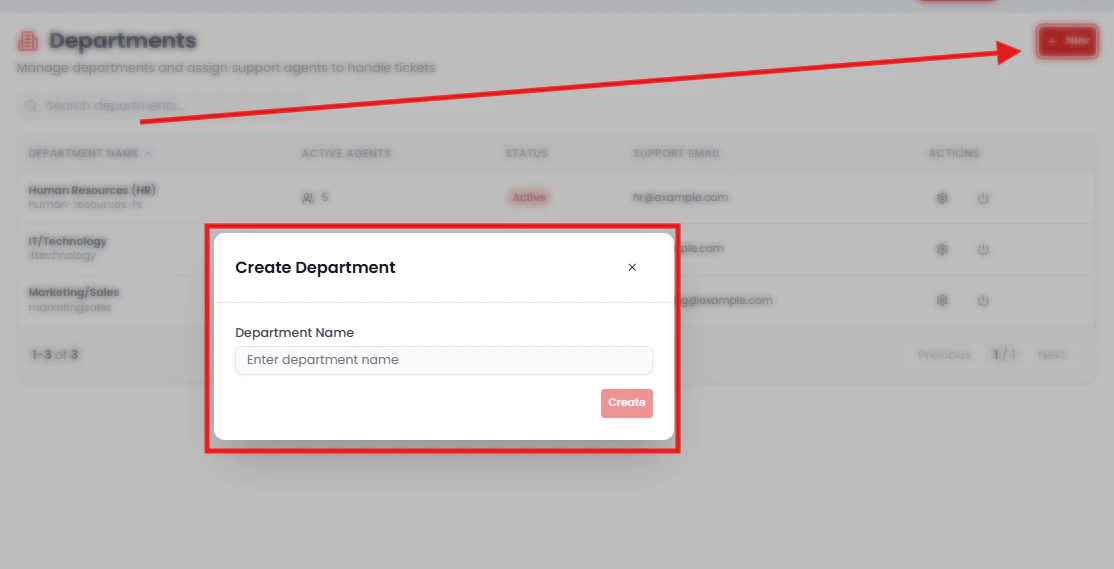
To create a new department:- Click the New button
- Enter the Department Name
- Assign a Support Email (optional but recommended)
- Click Save
Managing Department Settings
Click on any department to open its configuration panel.
General Settings
From the General tab, you can:- Update the Department Name
- Assign a Support Email
- Change the Department Status (Active / Inactive)
💡 Only connected mailboxes will appear as selectable support email options. Make sure your mailboxes are configured under Configuration → Inboxes before assigning them here.
Assigning Agents to a Department
Navigate to the Agents tab within a department to manage who has access.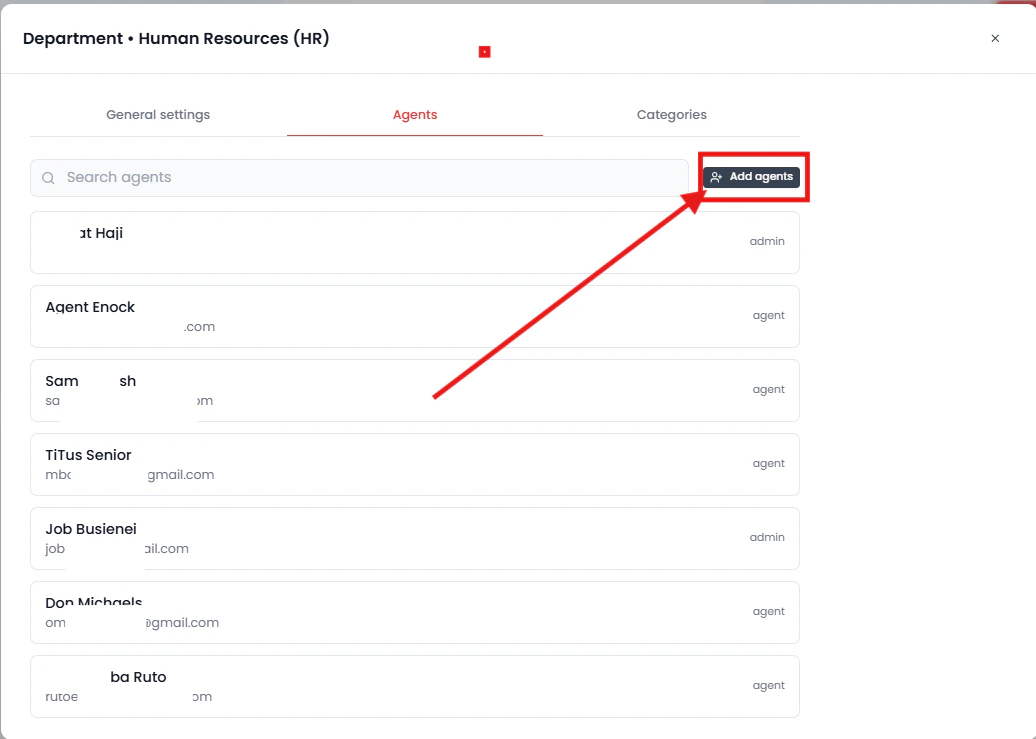
- Add agents who are already in the system
- Control which agents can view and manage tickets within that department
⚠️ Only agents assigned to a department will have visibility into its tickets. Agents not listed here will not see tickets routed to that department.
Managing Categories (Subtopics)
Departments can include Categories, which act as subtopics for more precise ticket classification within a department. For example:- Department: IT / Technology
- Categories: Login Issues, System Bugs, Hardware Requests
How Ticket Routing Works
Once your departments and categories are configured, ticket routing follows this flow automatically:- A customer creates a ticket
- They select a Department
- Based on the department, relevant categories appear for further classification
- The ticket is routed to agents assigned to that department
Managing Department Status
Each department can be set to one of two states:- Active — Visible and available for ticket assignment and customer selection
- Inactive — Hidden from ticket creation and unavailable for new assignments
💡 Deactivating a department preserves all historical ticket data. Use this option when a department is no longer in active use but you need to retain its records.
Saving Changes
After updating any department settings, agents, or categories, click Save Changes to apply your configuration.⚠️ Unsaved changes will not be applied.
Summary
The Departments feature in SafariDesk provides a structured foundation for your entire support operation. By organizing tickets into departments, assigning the right agents, and using categories for deeper classification, your team can:- Route tickets accurately to the correct team without manual intervention
- Improve agent focus by scoping visibility to relevant tickets only
- Classify tickets precisely using department-level categories
- Scale support efficiently as your organization and ticket volume grow
Need Help?
If you have any questions or need assistance, contact our support team at[email protected] We’re always here to help you get the most out of SafariDesk.