

Agents Overview
The Agents section under User Management is where you manage all system users who handle tickets in SafariDesk. Agents are responsible for:- Responding to tickets
- Managing customer requests
- Handling tasks within assigned departments
Accessing Agents
Navigate to User Management → Agents to view and manage all agents in the system.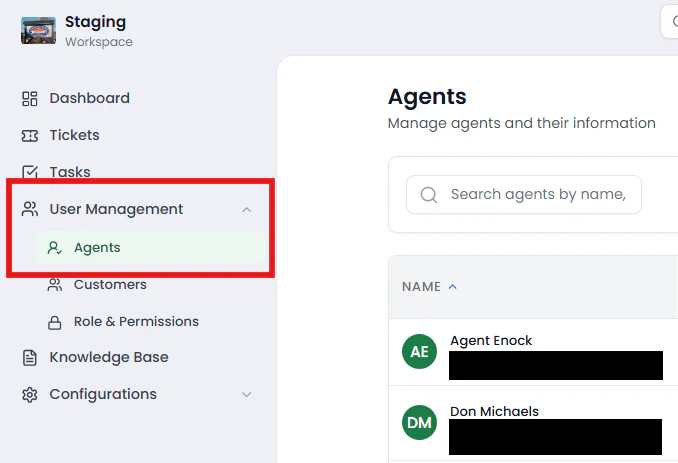
Agents List View
The Agents page shows a structured table with the following columns:- Name — Agent’s full name and email
- Departments — Departments the agent is assigned to
- Phone — Contact number
- Status — Active or Inactive
- Date Joined — When the agent was added
- CSAT Avg — Average customer satisfaction rating
- Actions — Manage agent (edit, activate/deactivate, delete)
Creating a New Agent
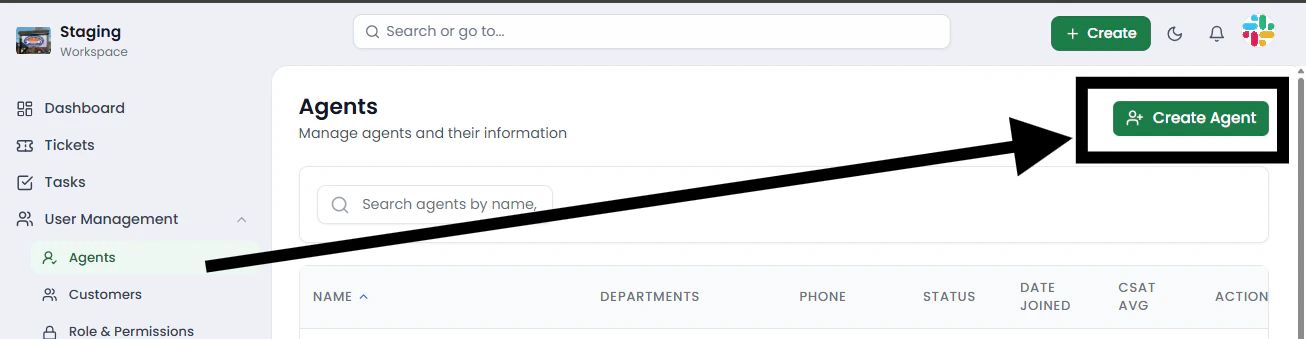
To add a new agent:- Click the Create Agent button at the top right
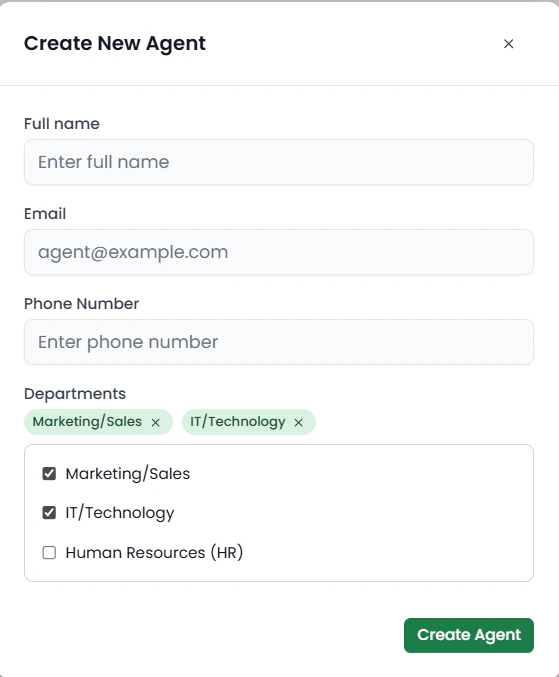
- Fill in the required details:
- Full Name — Enter the agent’s name
- Email — Example:
[email protected] - Phone Number — Enter contact number
- Departments — Select one or more departments
- Click Create Agent
⚠️ Important: Department Assignment
Agents must be assigned to at least one department.- If an agent is not assigned to any department, they will not see any tickets
- Departments determine which tickets an agent can access and manage
💡 Always assign the correct departments to ensure proper ticket visibility.
Searching for Agents
Use the search bar at the top of the page to quickly find agents by name or email. This is useful when managing large teams.\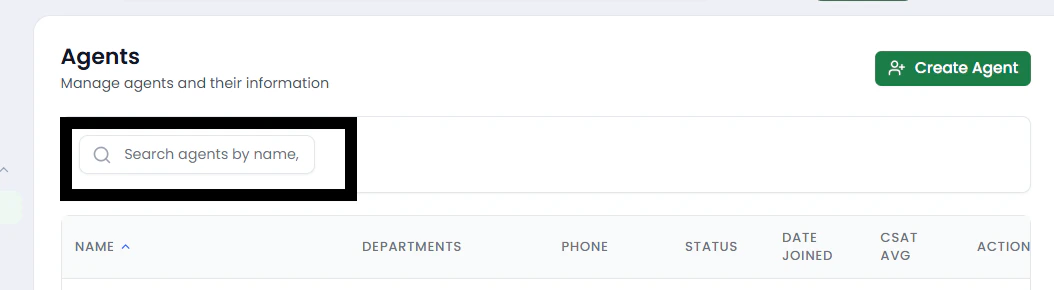
Managing Agents
Each agent can be managed directly from the Actions column.\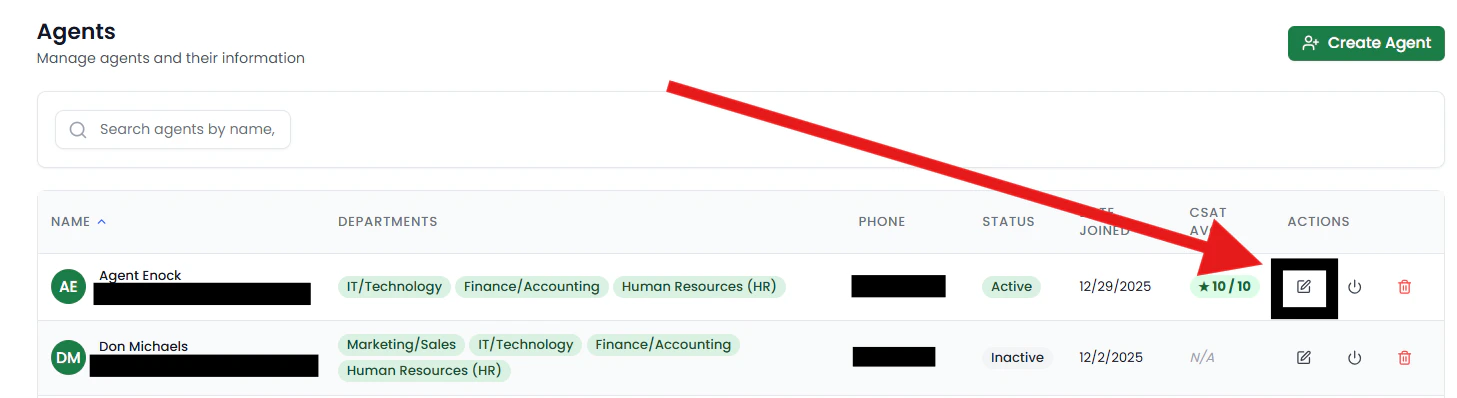
Available Actions
- Edit — Update agent details (name, phone, departments)
- Activate / Deactivate — Enable or disable agent access
- Delete — Remove agent from the system
Activating & Deactivating Agents
- Active — Agent can log in and manage tickets
- Inactive — Agent cannot access the system
- An employee leaves the organization
- Temporary access needs to be revoked
Department Access Control
Departments control what tickets an agent can see. You can:- Grant access by adding departments
- Restrict access by removing departments